Discover Xbox Play Anywhere

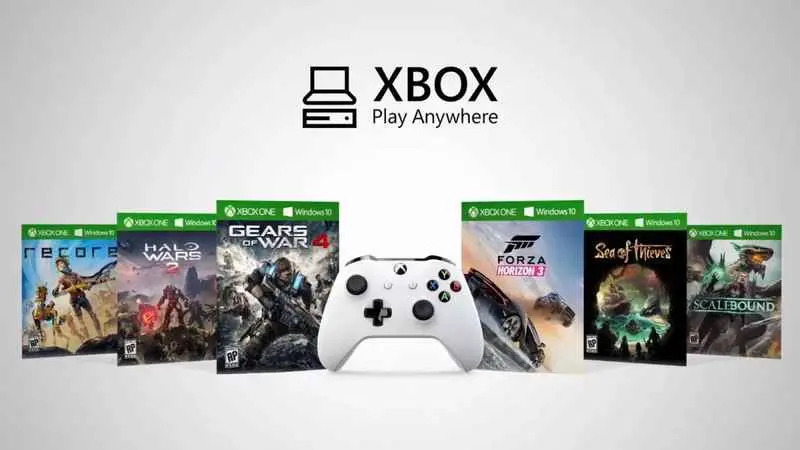
Launched two years ago, the Play Anywhere service allows you to play the same game on both your Xbox One and your PC. This means you can play your favourite games from the comfort of your sofa, or wherever you like on your PC, whilst keeping your save files across both platforms. Please note that not all games are compatible with Play Anywhere; the catalogue currently features just over forty titles. To see which games are eligible, the full list can be found here.
This service, which is completely free apart from the purchase price of the game, works exclusively with digital versions of games. It’s also worth noting that a Gold membership isn’t required; anyone with an active Silver account can use Play Anywhere. You must, of course, be logged into the same account on both platforms. The service works on all Xbox One models, including the One S, provided the console is up to date. As for PCs, you’ll need Windows 10 and, crucially, the Anniversary Update. In 2018, this update should, in theory, be installed on most PCs; if it isn’t, do check your settings. Furthermore, an internet connection is essential to use the service.
Now that we’ve covered the requirements, how does it work? Well, it’s very simple. You’ll obviously need to buy an eligible game – let’s take ReCore, one of the first compatible games when the service launched (a very good game, by the way – I recommend it). I’ll say it again: the game must be a digital copy! On our comparison tool, you can easily spot eligible games thanks to the Play Anywhere logo. Once you have the code or CD key, you have two options: activate it on a PC or on an Xbox One.
On PC:
With your code to hand, go to the Windows Store, making sure you’re signed in with the account you wish to use. Open the menu in the top right-hand corner and select “redeem a code”. A window will then open asking you to enter the code. A message will then appear, confirming that your code has been successfully processed. Close this window; a new one will open with a download button. Simply click it to start the download; once complete, the game will be in your library. You can then download it via the Xbox One Store.
On Xbox One:
The process is much the same: go to the Xbox Store and select “Redeem a code”. Enter the code and close the window. Go to your library to start the download. If you now go to the Microsoft Store on your PC, all you need to do is install the game to play it on your PC. And there you have it – job done! ;)



- Trending Now
- Summer Event 2026 Wrap-Up & Leaderboard9/1/26Gaming News
- Minecraft Dungeons II Is Now Playable on Steam Deck After a New Update10/1/26Gaming News
- Castlevania: Belmont’s Curse demo is now available on all platforms10/1/26Gaming News
- Satisfactory: Core Values Takes Its Industrial Empire Underground9/29/26Gaming News
- God of War Laufey Announces Pre-Orders Alongside Several Notable Updates9/28/26Gaming News
- News, Good deals
- STRANGER THAN HEAVEN reveals 1943 Osaka in new gameplay footage17 hours agoGaming News
- Run your dream gaming shop in Gamer Stop Simulator19 hours agoGaming News
- Minecraft Dungeons II Is Now Playable on Steam Deck After a New Update10/1/26Gaming News
- RuneScape: Dragonwilds opens its first Check-In Survey after 1.010/1/26Gaming News
- Dressmaker turns sewing into a surprisingly big Steam hit9/30/26Gaming News
- Satisfactory: Core Values Takes Its Industrial Empire Underground9/29/26Gaming News
- Most Popular
-
$35.35WardogsKinguin
-
$41.00CONTROL ResonantK4G
-
$40.31Crimson Desert EnhancedGAMESEAL
-
$10.25Crown Of HispaniaGameBoost
-
$3.31Tattoo Shop SimulatorKinguin
- New games
-
$36.40MXGP 26 The Official GameInstant Gaming
-
$56.12ACE COMBAT 8 WINGS OF THEVELootBar
-
$30.09Dynasty Warriors 3 Complete Edition RemasteredInstant Gaming
-
$36.26Transport Fever 3GameBoost
-
$8.47TOEM 2Kinguin
- Available soon
-
$27.03AION 2G2A
-
$50.47Gears of War E DayEneba
-
$45.08STAR WARS Galactic RacerInstant Gaming
-
$24.50Dragon's Dogma 2 Dark Arisen ExpansionYuplay
-
$39.99Clive Barker's Hellraiser RevivalSteam
answering the message of